


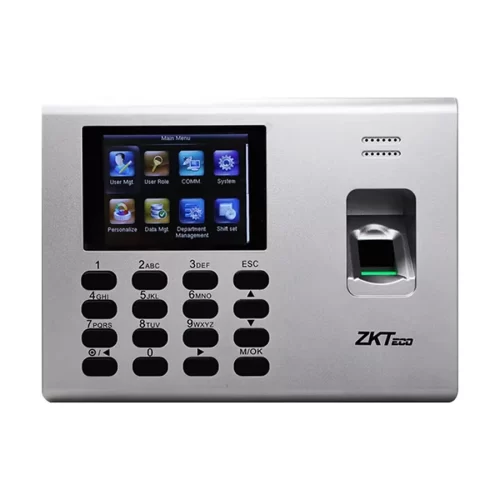
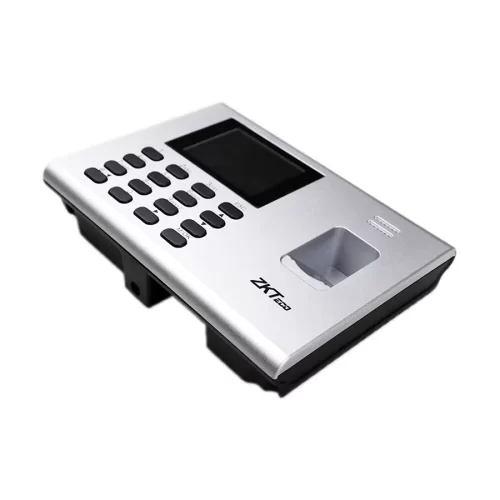
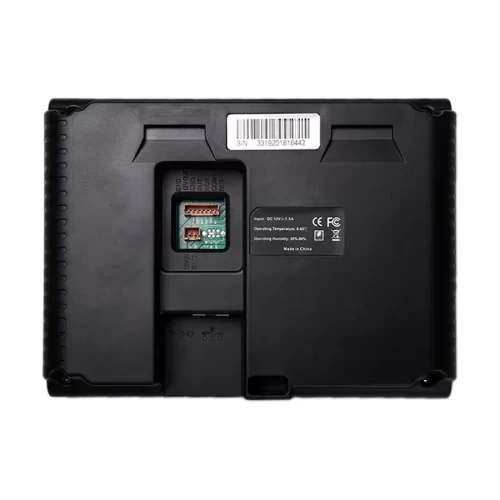
ZKTeco K40 Full Specifications
| Specification | Details |
|---|---|
| Brand | ZKTeco |
| Model | K40 |
| Product Type | Time & Attendance Terminal |
| Verification Method | Fingerprint |
| Display | 2.8-inch TFT screen |
| Fingerprint Capacity | Up to 3,000 in the manufacturer-listed configuration; verify exact version |
| Card Capacity | Up to 3,000 in the manufacturer-listed configuration; card function may be optional |
| Transaction Capacity | Up to 100,000 in the manufacturer-listed configuration |
| Communication | TCP/IP, USB Host |
| Access Control | Basic access control support |
| Backup Battery | Built-in |
| Power Supply | DC 12V, 1.5A |
| Operating Temperature | 0°C to 45°C |
| Operating Humidity | 20% to 80% |
| Dimensions | 184 × 136 × 37.6 mm |
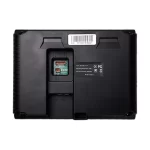
| Installation | Wall-mounted |
ZKTeco K40 Time & Attendance Terminal Machine
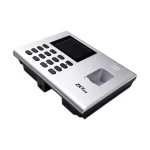
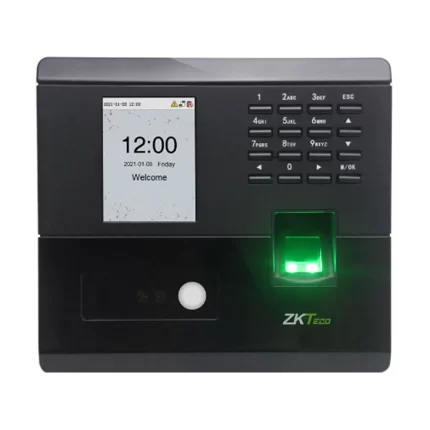
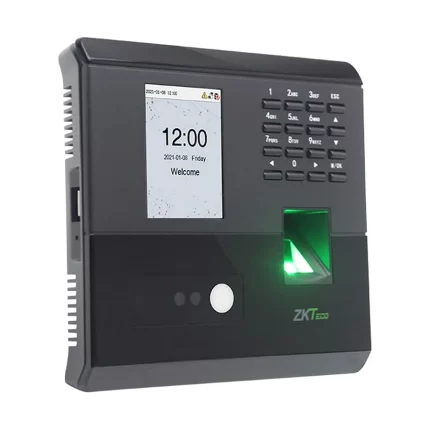
The ZKTeco K40 Time & Attendance Terminal Machine is designed to help businesses manage employee attendance using fingerprint verification. It provides a practical way to record staff check-in and check-out times, organise attendance data and support daily workforce management.
With a 2.8-inch TFT display, TCP/IP communication and USB Host connectivity, the ZKTeco K40 can be integrated into suitable attendance management workflows. It also supports basic access control functions, making it useful for workplaces that need attendance recording alongside simple door access management.
Fingerprint-Based Employee Attendance
The ZKTeco K40 helps simplify daily attendance recording by allowing enrolled employees to verify their identities with fingerprints. This can reduce dependence on manual attendance registers and make it easier for authorised staff to review attendance records.
It is suitable for organisations that need a straightforward way to record staff attendance and support payroll preparation. Final payroll calculations should still be checked against the organisation’s attendance policy and selected software.
TCP/IP and USB Data Management
The ZKTeco K-40 supports TCP/IP communication for connecting with compatible network-based attendance systems. USB Host functionality also provides a convenient way to transfer data when a compatible USB drive and supported workflow are used.
These connectivity options help administrators collect attendance records and manage them through compatible software. Actual software compatibility and setup requirements should be confirmed before installation.
Basic Access Control Functionality
In addition to attendance recording, the ZKTeco K-40 supports simple access control applications. Compatible installations may connect the terminal to a third-party electric lock and an exit button.
The required lock, power supply, wiring and installation accessories depend on the door and the intended setup. Please confirm the complete installation requirements before ordering if you need door access control.
Built-in Backup Battery
The built-in backup battery is a useful feature for workplaces where power interruptions may occur. Actual backup duration depends on the battery condition, usage and installation environment; it should not be treated as a guaranteed operating time.
Where Can You Use the ZKTeco K40?
This ZKTeco Device may be suitable for:
- Corporate offices and small businesses
- Shops and retail workplaces
- Factories and staff work areas
- Schools and educational institutions
- Other organisations that need employee attendance records
For large deployments or advanced security requirements, confirm whether a higher-capacity or more advanced access control model would be more appropriate.
Why Choose the ZKTeco K40?
This ZKTeco Model combines fingerprint-based attendance recording, network connectivity, USB data transfer and basic access control in one terminal. Its straightforward feature set makes it worth considering for organisations looking for a practical attendance management device.
Before purchase, confirm the supported fingerprint and card capacity, included power adapter, warranty, software compatibility and installation requirements for your particular unit.
FAQ:
What is the ZKTeco K-40 used for?
The ZKTeco K40 is used for fingerprint-based employee attendance recording and basic access control in offices, factories, schools and other workplaces.
How many fingerprints can the ZKTeco K-40 store?
The manufacturer’s listed configuration supports up to 3,000 fingerprints. However, some regional listings show lower capacities, so verify the exact version before purchase.
Does the ZKTeco K40 support network connectivity?
Yes. It supports TCP/IP communication and USB Host for compatible attendance data management workflows.
Does the ZKTeco K40 support ID cards?
ID card functionality is optional and depends on the installed configuration.
Does the ZKTeco K40 have a backup battery?
Yes, the manufacturer lists a built-in backup battery. Actual backup time depends on the unit’s condition and usage.
What is the power requirement of the ZKTeco K40?
The manufacturer’s listed power supply is DC 12V, 1.5A. Confirm the included adapter and power requirements with the supplier.
Can the ZKTeco K40 control an electric door lock?
It supports basic access control and compatible third-party electric lock and exit-button connections. Additional accessories and installation may be required.






Reviews
There are no reviews yet.